Agent Event Restrictions give you control over which types of transactions trigger an agent, and optionally allow you to validate inbound XML transactions before they are committed to the database.
Access this by clicking the “i” icon on the agent header screen:
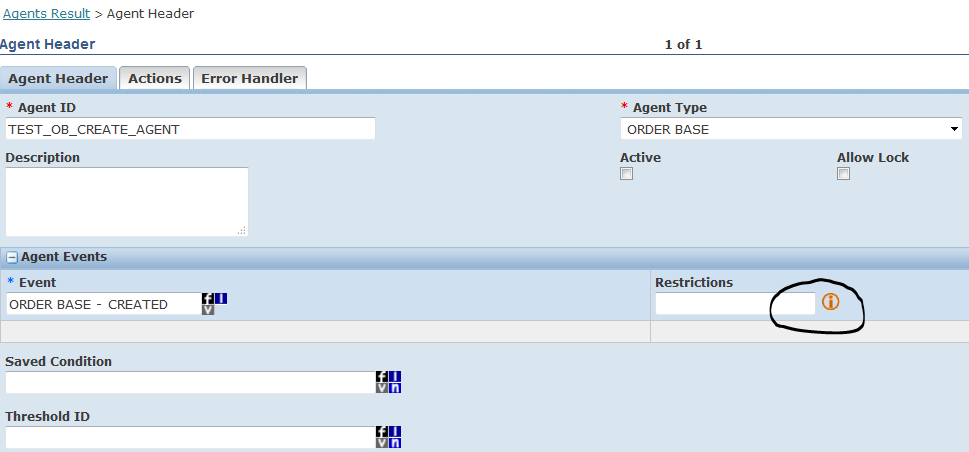
The Event Restrictions panel appears:
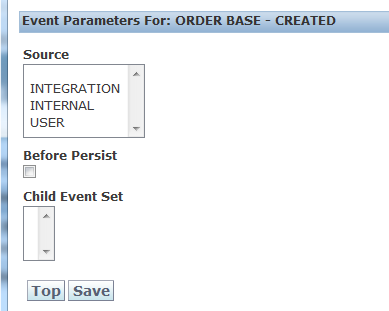
Source Options:
Before Persist:
The Before Persist option allows validation of an inbound XML transaction before it is committed to the database.
Example: Validate that a required reference number exists in an inbound PO XML before creating the Order Base record. Suppose the integration layer sends OTM XML and you want to create the PO only if the reference number SOURCE_SYSTEM is present.
Create the following agent:
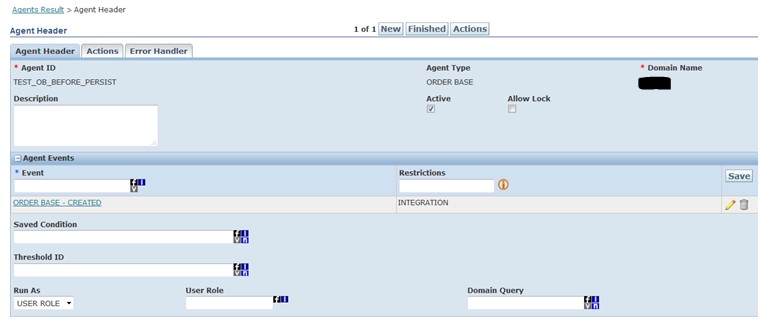
In the Restrictions section, check the Before Persist box:
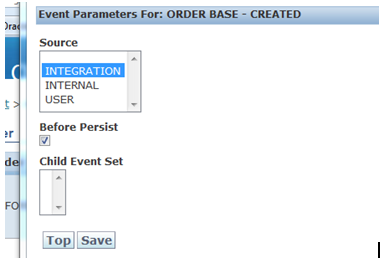
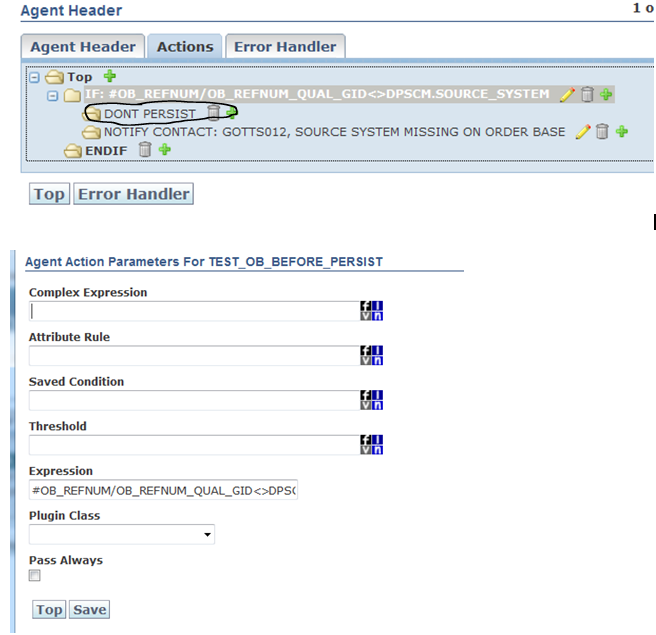
Set the following expression to check for the reference number in the XML:
#OB_REFNUM/OB_REFNUM_QUAL_GID<>DOMAIN.SOURCE_SYSTEMIf the SOURCE_SYSTEM reference number does not exist in the XML, the standard DON’T PERSIST action is triggered — meaning the PO is not created in OTM.
Upload a PO XML without the SOURCE_SYSTEM reference number. The transmission will show as PROCESSED, but no Order Base record will be created:
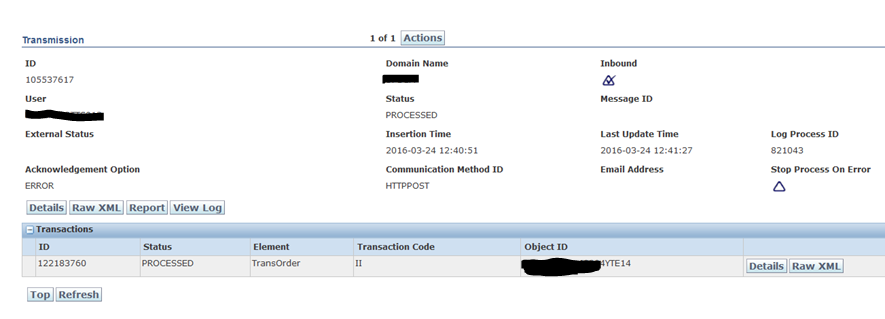
If you repeat the upload with the reference number present, the Order Base record is created successfully. This feature is useful for enforcing data quality rules on transactions arriving from external systems.