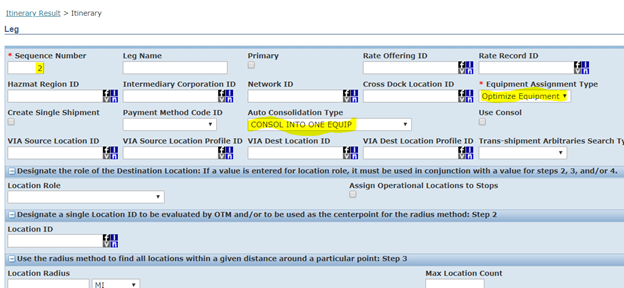
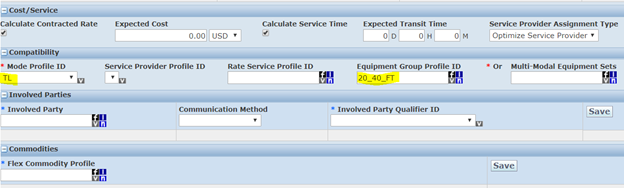
An Itinerary defines the route OTM Bulk Plan uses to move freight — the origin region, destination region, transport mode, and equipment types for each leg. Bulk Plan matches order release origins and destinations against itinerary lanes to determine which route to use. Without a matching itinerary, planning will fail.
For the TCRP scenario we defined four itineraries — three single-leg and one multi-leg. Refer to the business scenario for the full network diagram.
Itinerary summary:

Create itineraries:

Single-leg itineraries (ITIN-A, ITIN-B, ITIN-C):
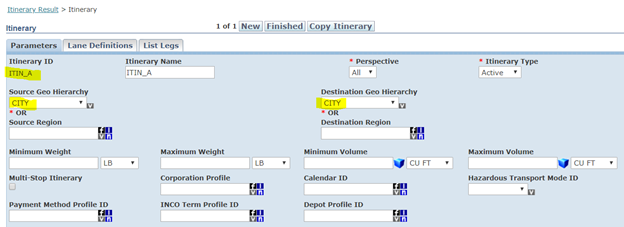
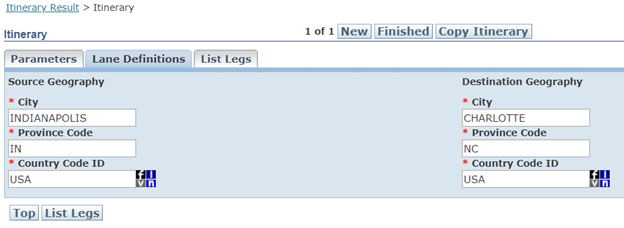
ITIN-A, ITIN-B, and ITIN-C are each single-leg itineraries — one direct lane from source to destination. The header defines the lane (source and destination location groups) and the leg defines the transport mode and equipment types.
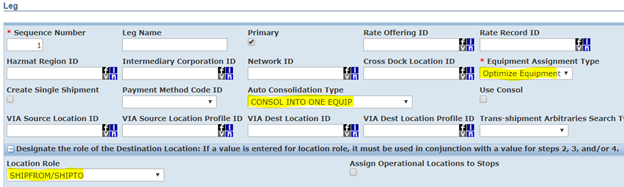
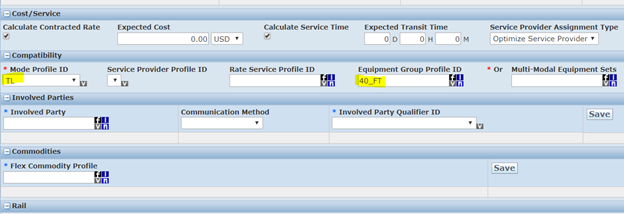
Multi-leg itinerary (ITIN-D):
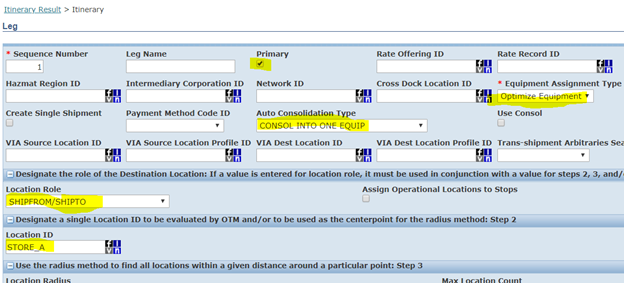
ITIN-D is a multi-leg itinerary — DC to LOC-A (Leg 1), then LOC-A to LOC-B (Leg 2). The itinerary header shows only the overall source and final destination; the intermediate stop (LOC-A) is defined at the leg level.
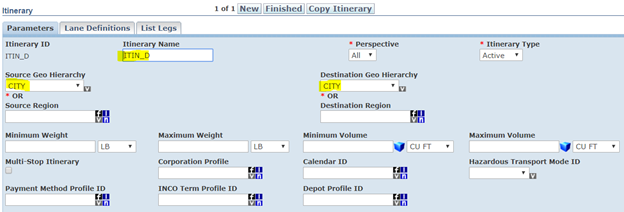
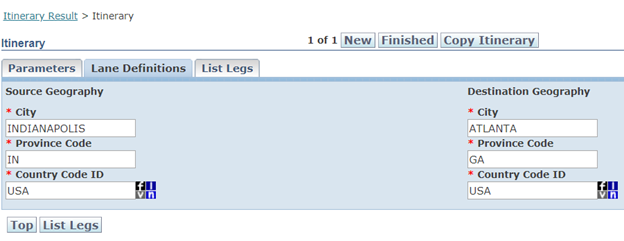
Leg 1 — DC to LOC-A:
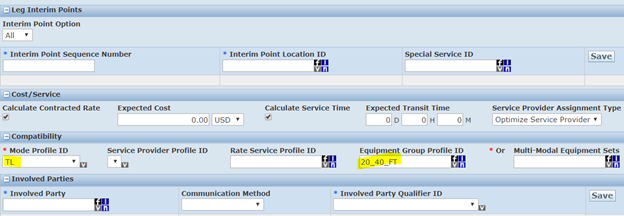
Leg 2 — LOC-A to LOC-B: