After Bulk Plan creates Shipments, the next step is to notify the carrier — this is called Tendering. The carrier receives the shipment details (pickup time, locations, equipment), then accepts or rejects the tender. If rejected, OTM automatically re-tenders to the next available carrier on the lane.
Shipment status after Bulk Plan:
When shipments are first created by Bulk Plan, their Secure Resources status is SECURE_RESOURCES_NOT_STARTED, meaning no tender has been sent yet.

Send the tender:
After this action the Secure Resources status changes to TENDERED. OTM sends a tender notification to the carrier — this can be an XML message to an external TMS/EDI system, or an email notification, depending on the configuration at the Service Provider level.
Carrier accept / reject:
The carrier responds to the tender in one of two ways:
- Via EDI integration (automated, in production)
- By logging into OTM with the Service Provider role and accepting or rejecting manually
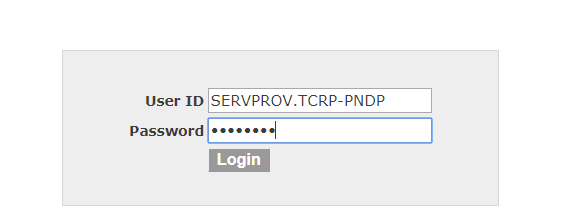
For manual login, the default credentials follow this format:
In this scenario, login as the PNDP carrier first and decline the tender:
The carrier sees outstanding tenders in their queue:
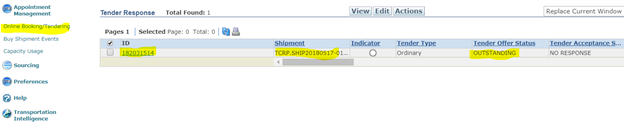
Decline this tender as the PNDP carrier. Then login as the SGTM carrier and accept the tender for the second leg.
OTM re-tenders automatically:
After PNDP rejects the first leg, go back to TCRP.ADMIN and review the shipments:
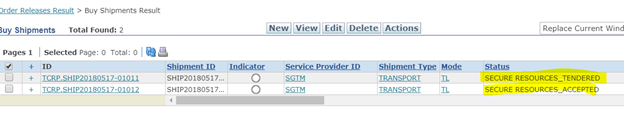
OTM automatically re-tendered the first leg to the next available carrier — SGTM — at the $30 rate defined in the Rate Records for that lane. Refer to the rate structure below as a quick reminder of the configured lanes and costs:
Login as SERVPROV.TCRP-SGTM to see the new tender for the first leg:

Accept this tender. Both shipments now show Secure Resources status as ACCEPTED:

With both legs tendered and accepted, the shipments are confirmed with their carriers and ready for the next step: invoicing.