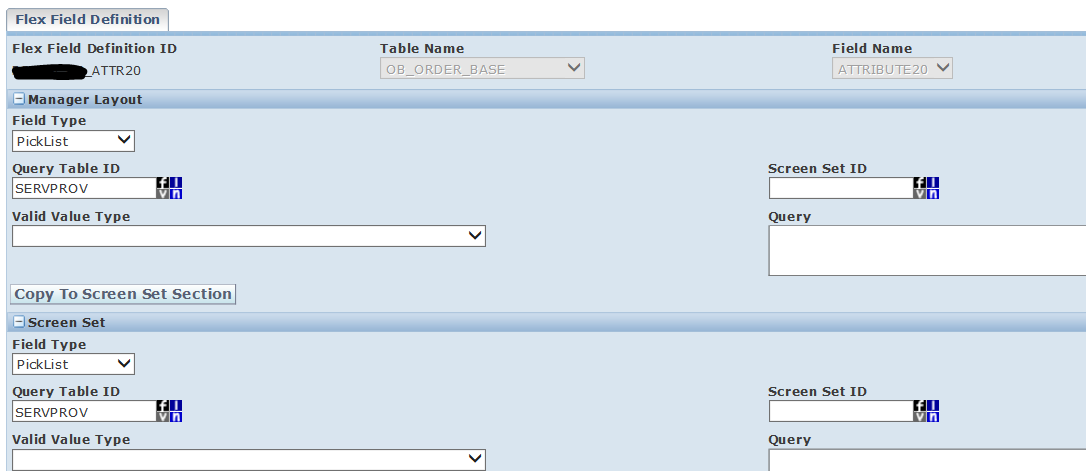
OTM provides attribute columns (Char, Number, Date, and Currency) on most major transaction tables such as ORDER_RELEASE and SHIPMENT to store custom data alongside standard fields. Flex Fields are definitions applied to these attribute columns that control how the field behaves in the UI — including whether it shows a free-text entry, a query-driven dropdown, or a standard lookup list. Once defined, a Flex Field can be added to a Manager Layout so that users can enter data directly from the screen.
Example — add a Contact ID field to the Order Release layout:
The Contact ID is not a standard column on the Order Release table. Using a FlexDropList Flex Field, you can expose it as a dropdown populated from the CONTACT table.
Step 1 — Create the Flex Field definition:
Log in as domain ADMIN and create a new Flex Field Definition. Set the following:
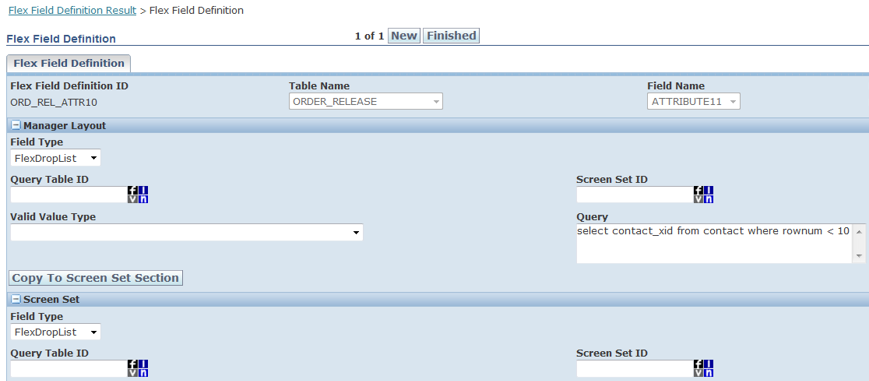
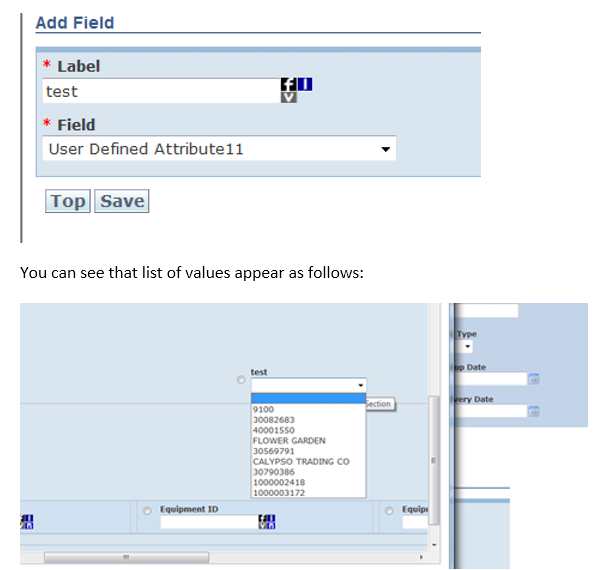
Step 2 — Add the Flex Field to a Manager Layout:
After saving the Flex Field Definition, add the field to your Manager Layout for Order Release. When users open the Order Release screen, the field will display as a dropdown populated with values from the CONTACT table.
PickList Flex Fields:
A PickList Flex Field associates the attribute column with a standard OTM reference table rather than a custom query. For example, to expose a country code selector on a layout, set Field Type to PickList and select SERVPROV as the Query Table ID.